New Tool – nUnit Test Results Viewer
 Ever find yourself staring at a massive nUnit XML test results file, trying to figure out which tests passed, failed, or were skipped? Isn’t it SPOOOKY when you have to scroll for forever, or try to read test results in Pester?
Ever wish you could see your test results in the same clean, organized view you get when running tests in an Azure DevOps pipeline?
If you’re like me, you’ve probably opened those XML files in a text editor more times than you’d care to admit, scrolling through endless <test-case> elements, trying to make sense of the results. There has to be a better way 🎃!
Well, now there is.
👻 Introducing: nUnit Test Results Viewer 👻
This single-page application takes your nUnit XML test results and renders them in a beautiful, pipeline-style view that makes it easy to understand your test outcomes at a glance.
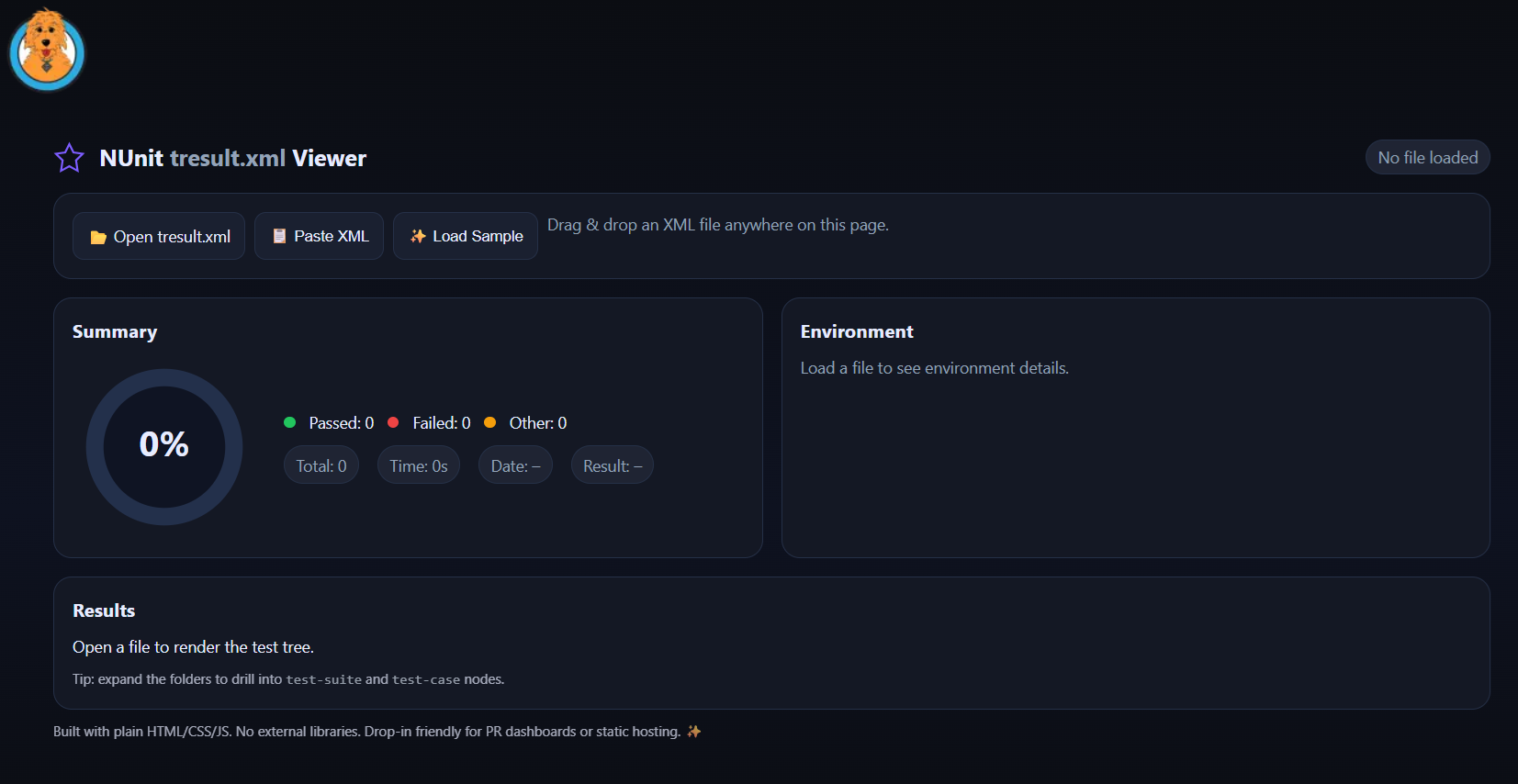
No more squinting at raw XML trying to count passed vs failed tests, or hunting through massive files to find that one test that’s been causing issues.
Think of it as “Azure DevOps Test Results tab,” except it works with any nUnit XML file and runs entirely in your browser.
Features
- Pipeline-style test visualization - See your test results organized just like in Azure DevOps
- Test summary dashboard - Get an instant overview of passed, failed, and skipped tests
- Expandable test details - Click into individual tests to see failure messages and stack traces
- Search and filter - Quickly find specific tests or filter by status
- Runs entirely in your browser - No installs, no servers, no hassle
- Complete privacy - Your test results never leave your browser
- Janky CSS - Look, you get what you pay for.
How to Use It
Simply upload your nUnit XML results file or paste the XML content directly into the viewer. The app will parse your test results and display them in an organized, easy-to-read format that mimics the test results view you’re familiar with from Azure DevOps pipelines.
It’s Completely Private!
There’s no telemetry, monitoring, or data collection of any kind. Your test results stay completely within your browser tab - nothing is ever sent to a server or stored anywhere. Don’t believe me? GOOD!
I mean if you don’t believe me, just check your network traces tab in devtools.
If you’ve ever spent way too long trying to parse XML test results by hand, this tool will save your sanity (and probably some time too).
Give it a try here: nUnit Test Results Viewer
And if you find any bugs, well… at least now you’ll have a nice way to view the test results when you fix them! 😉